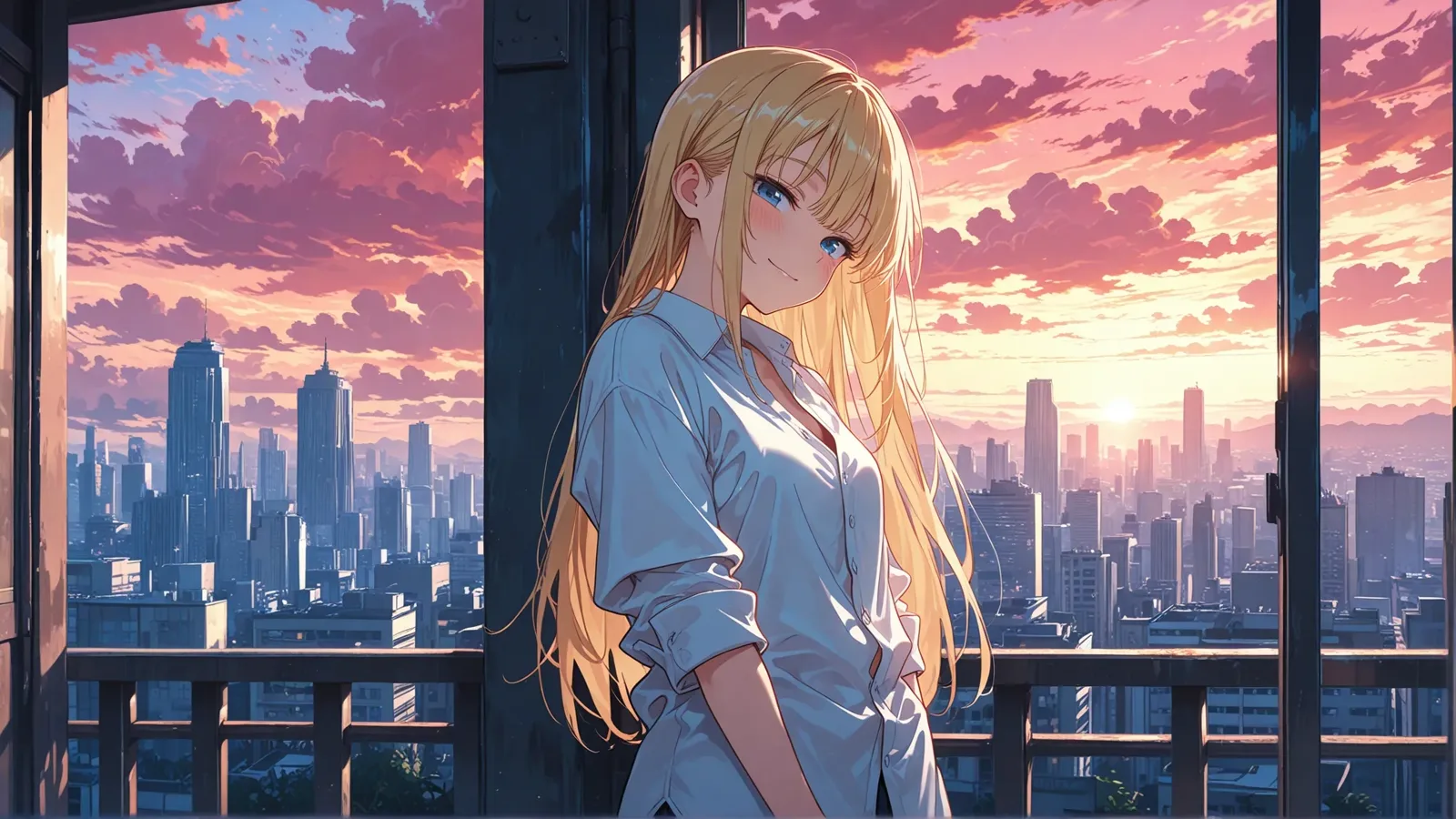
Searching for a WAN 2.7 alternative can mean at least three different things. You may want another hosted video API, an open model you can run locally, or a simpler product that turns one character reference into a repeatable scene workflow. Minimax Hailuo 02, LTX 2.5 and Gensomnia answer those three needs differently.
This is a workflow comparison, not a model leaderboard. We did not run one supposedly identical prompt through all four systems, so we do not name a quality winner. External capabilities below were checked against first-party documentation on August 14, 2026; Gensomnia results and limitations come from our own published tests.
The short answer
- Choose WAN 2.7 when you want Alibaba Cloud's hosted video API, flexible duration and resolution, multi-shot generation, or reference-to-video without operating a local model.
- Choose Minimax Hailuo 02 when you want a hosted text-to-video or image-to-video API with simple, fixed output choices.
- Choose LTX 2.5 when local execution, open weights, fine-tuning and synchronized audio-video matter more than zero setup.
- Choose Gensomnia when the job starts with a fictional character and you want a browser workflow built around reference, pose, outfit, location and style rather than an API integration.
That distinction matters more than a generic "best AI video generator" label. These options sit at different layers of the stack and ask different things of the person using them.
What is actually being compared
WAN 2.7 is a hosted model API. The official Alibaba Cloud text-to-video documentation lists Wan2.7 inside Model Studio with 720p and 1080p output, 2–15 second duration, native audio and multi-shot support. Its separate reference-to-video API accepts image, video and audio references.
Minimax Hailuo 02 is also hosted. Its official image-to-video API reference exposes 512p, 768p and 1080p modes, with duration constrained by resolution. You submit a job and retrieve the result; you do not manage model weights.
LTX 2.5 is the local/open-weight option. The verified LTX-2 repository contains inference and fine-tuning code, model links and local workflows for synchronized audio-video generation. The weights use the LTX community license, so "open weight" is more precise than calling every use unrestricted.
Gensomnia is an end-user product. The interface turns a reference and a set of scene choices into an image or a short video. There is no environment to install and no public model API to integrate; the trade-off is less pipeline control.
WAN 2.7: hosted API, not a local checkpoint
The biggest factual trap around WAN 2.7 is treating it as a renamed local Wan2.2 release. Alibaba's current documentation describes Wan2.7 as a Model Studio service. The official open-source repository is Wan2.2, not Wan2.7. That means claims about a WAN 2.7 VRAM floor, checkpoint download size or local installation time cannot be verified from an official WAN 2.7 release.
As an API, WAN 2.7 has a broader envelope than a basic image-to-video tool:
- text-to-video jobs can run from 2 to 15 seconds at 720p or 1080p;
- audio and multi-shot generation are part of the documented Wan2.7 modes;
- the reference-to-video endpoint can use several kinds of reference material and is designed to preserve subject appearance and voice across shots;
- usage is metered through Alibaba Cloud rather than paid for with local GPU time. Current rates belong on the official pricing page, because regional and model pricing can change.
So WAN 2.7 is not the local-control choice in this article. It is the most configurable hosted API of the four.
LTX 2.5: local control and open access
LTX is the closer match if "alternative" means run the pipeline yourself. The current LTX-2 repository publishes inference code, distilled and full model variants, LoRA training tools and ComfyUI guidance. LTX 2.5 also generates synchronized audio and video instead of requiring a separate sound pass.
Local does not mean lightweight. Hardware needs depend on the model variant, quantization, resolution and workflow. The official LTX quick start says its full LTX 2.5 component download is roughly 66 GiB and recommends FP8 quantization with CPU or disk offload when GPU memory is constrained. It does not publish one universal VRAM minimum, so requirements should be evaluated against the exact pipeline you plan to run.
LTX also spans more than a raw checkpoint: Lightricks publishes local tooling and hosted options around the same model family. It is the strongest fit here for teams that want to inspect, adapt or train the pipeline and accept the hardware and maintenance work that follows.
Minimax Hailuo 02: a simpler hosted route
Minimax Hailuo 02 supports both text-to-video and image-to-video without local setup. According to the official Hailuo 02 announcement and API reference, output choices are deliberately narrower than WAN 2.7: 6 or 10 seconds at 768p, while 1080p is available for 6-second jobs.
That narrower interface can be an advantage when you want a straightforward hosted job rather than a large parameter surface. It is still a model service: you provide prompt/reference inputs, handle asynchronous job status and pay for successful generation through MiniMax's current package or pay-as-you-go structure. The official video pricing guide uses model-specific generation units, so a reseller's dollar figure should not be presented as universal Hailuo 02 pricing.
Gensomnia: a reference-first product workflow
Gensomnia starts one layer higher. You choose a fictional character or upload a permitted reference, then set pose, outfit, location and style. The output is a five-second 720p video, with still-image generation available as a faster way to find a composition before animating it.
This makes it less configurable than WAN 2.7 or a local LTX pipeline. There are no sampler settings, model variants or fine-tuning controls. The product bet is that many character-based jobs benefit more from a persistent visual reference and reusable scene controls than from exposing every generation parameter.
Images return in seconds after submission, but we are intentionally not publishing a tighter latency range here until the current infrastructure has a repeatable p50/p90 benchmark. Video completion time also varies with queue and generation load.
Reference consistency: capability versus workflow
The earlier version of this comparison drew too sharp a line here. WAN 2.7's official reference-to-video endpoint explicitly supports subject references and says it can preserve appearance and voice across scenes. Minimax Hailuo 02 supports image-to-video, and LTX supports image conditioning and fine-tuning. All three can participate in a consistent-character workflow.
The useful distinction is how much of that workflow is made default. Gensomnia keeps the reference at the center of the product and exposes scene changes as choices. WAN and Minimax expose generation jobs; LTX exposes the pipeline itself. Capability overlaps, but operating effort does not.
The four stills below were generated in Gensomnia for this article from one reference: a bedroom doorway, a balcony above the city, a window seat and a rose garden.
The same character in motion is a harder check than a still:
For the product-level steps rather than a model comparison, follow the guide to generating AI video from an image reference.
There is an important limit on our side. A reference is immediate, but it is weaker than a well-trained character model over many difficult compositions. Our six-scene image test scored 47 out of 60, and the seated full-body scene scored only 4 out of 10. We publish the frames, failures and scoring rubric instead of turning one good example into a universal claim.
This article still does not establish that Gensomnia retains identity better than WAN 2.7, LTX 2.5 or Hailuo 02. That would require the same permitted reference, comparable prompts, multiple runs per system and blinded scoring.
Cost and speed without fake precision
The four options do not share one price unit or one timing method:
- WAN 2.7: hosted Model Studio usage is metered by generated video duration and output mode. There is no local hardware purchase, but every successful API job has a service cost.
- Minimax Hailuo 02: hosted generations consume model-specific units. The number of rerolls matters because iteration is also metered.
- LTX 2.5: local runs shift cost to GPU purchase or rental, storage, electricity and engineering time. Per-run API billing may disappear, but a local clip is not literally free.
- Gensomnia: images and videos consume product credits after the free start. Current prices belong on the pricing page, where they can stay in sync with checkout.
A responsible speed comparison would start all four jobs from equivalent inputs, record queue time separately from generation time and report several runs rather than the fastest screenshot. We have not completed that benchmark, so the table below describes delivery mode instead of inventing a cross-platform winner. For orientation only, Alibaba's WAN 2.7 API documentation estimates 1–5 minutes per text-to-video task; that is a vendor estimate, not our cross-platform measurement.
What the app actually looks like
These are current product screens. Explicit preview regions are blurred for this public article because the page itself has no age gate; the blur is not part of the in-product workflow.
Each field opens its own library, and every card carries a live usage count — so the scene is assembled from choices other people already made, not from prompt syntax you have to invent.
Side-by-side comparison
| WAN 2.7 | LTX 2.5 | Minimax Hailuo 02 | Gensomnia | |
|---|---|---|---|---|
| Route | Hosted model API | Local/open-weight model | Hosted model API | Browser product |
| What you need | Alibaba Cloud account and API integration | Compatible GPU and local setup | MiniMax account and API integration | A browser |
| Reference input | Dedicated reference-to-video endpoint | Image conditioning and trainable pipeline | Image-to-video first frame | Reference-first character workflow |
| Documented output | 2–15 s, 720p or 1080p | Depends on local workflow and model variant | 6 or 10 s; 1080p at 6 s | 5 s at 720p |
| Synchronized audio | Yes | Yes | No documented native audio for Hailuo 02 | No |
| Control surface | API parameters, prompt and references | Code, model variants, LoRA and pipeline controls | API parameters, prompt and first frame | Reference, pose, outfit, location, style and prompt |
| Cost shape | Metered by hosted video generation | Hardware, rental and operating cost | Generation units or pay-as-you-go | Free start, then credits |
| Best fit | Flexible hosted API and reference workflows | Local control, adaptation and audio-video | Straightforward hosted short clips | Repeatable fictional-character scenes without setup |
How to choose a WAN 2.7 alternative
- 1
Decide whether you need a model or a product
Choose an API when you are building your own interface, a local model when you need pipeline ownership, or a finished product when the goal is making scenes rather than operating infrastructure.
- 2
Define the reference requirement
A first-frame image, multiple subject references and a persistent product-level character are different inputs. Match the tool to the kind of identity control your project actually needs.
- 3
Set the output envelope
Write down required duration, resolution, audio and number of shots before comparing demos. These constraints remove unsuitable options faster than subjective quality claims.
- 4
Price the iteration loop
Count failed attempts and rerolls, not only final clips. Hosted jobs meter iteration; local workflows move that cost into hardware and engineering; product credits sit between the two.
Where each option is the better answer
- WAN 2.7 is the best fit when you want a managed API with flexible duration, 1080p, audio, multi-shot output and richer reference inputs.
- LTX 2.5 is the best fit when you want local execution, inspectable code, fine-tuning and synchronized audio-video, and you can support the hardware.
- Minimax Hailuo 02 is the best fit when a simpler hosted image-to-video or text-to-video job with fixed short durations meets the requirement.
- Gensomnia is the best fit when you want to reuse a permitted fictional character across preset scenes from a phone or desktop browser. It is not the right route for long clips, node-level control, a public generation API or content involving real people or minors, which the platform prohibits.
Frequently asked questions
Alibaba Cloud currently documents Wan2.7 as a hosted Model Studio API, while the official open-weight Wan repository is Wan2.2. We could not verify an official Wan2.7 checkpoint, so local WAN 2.7 VRAM and download-size claims should be treated as unverified unless Alibaba publishes one.
LTX 2.5 is the local/open-weight route in this comparison. It publishes inference and fine-tuning tooling and generates synchronized audio-video, but hardware requirements vary by model variant, quantization, resolution and workflow.
The official API documents 6- and 10-second generation at 768p. The 1080p mode is available for 6-second jobs; the longer 10-second option is not documented at 1080p.
There is no verified cross-platform winner in this article. WAN 2.7 supports reference-to-video, Minimax supports image-to-video, LTX supports image conditioning and training, and Gensomnia makes a persistent character reference the default workflow. A fair ranking needs repeated controlled tests.
WAN 2.7, Minimax Hailuo 02 and Gensomnia are hosted, so your device does not run the generation model. LTX can run locally and therefore shifts model execution and hardware requirements to you.
It depends on usage and operating cost. WAN and Minimax meter hosted jobs, LTX uses your own or rented hardware, and Gensomnia uses product credits. Compare the cost of all attempts and maintenance, not only the final successful clip.
Verdict
For a WAN 2.7 alternative, start by deciding which layer you actually want. Minimax Hailuo 02 is the closest simpler hosted-service alternative. LTX 2.5 is the local/open-weight alternative. Gensomnia is the product-workflow alternative for repeatable fictional-character scenes.
WAN 2.7 itself may still be the right choice if its wider hosted API envelope — longer clips, 1080p, audio, multi-shot and reference-to-video — matches your project. The honest conclusion is not that one route replaces every other one; it is that each removes a different kind of work.
Start from a character reference
Choose a permitted fictional character, set the scene, and generate in the browser — free to start.
Try GensomniaOur evaluation policy and internal benchmark method are published in how we test. External product links above point to the vendors' own documentation rather than affiliate or reseller pages.